
Forge
Forge is Furl’s conversational AI assistant for endpoint investigation and remediation. You describe what you’re trying to find or fix in plain language, and Forge queries your fleet, runs detections and fixes across the endpoints you choose, and helps you turn the results into the same reusable building blocks the rest of the platform runs on — Checks, remediation strategies, and remediation scopes.
Think of Forge as the interactive front door to Furl: instead of clicking through forms to author a detection or a fix, you have a conversation, validate the result against real endpoints, and save it when it’s doing what you want.
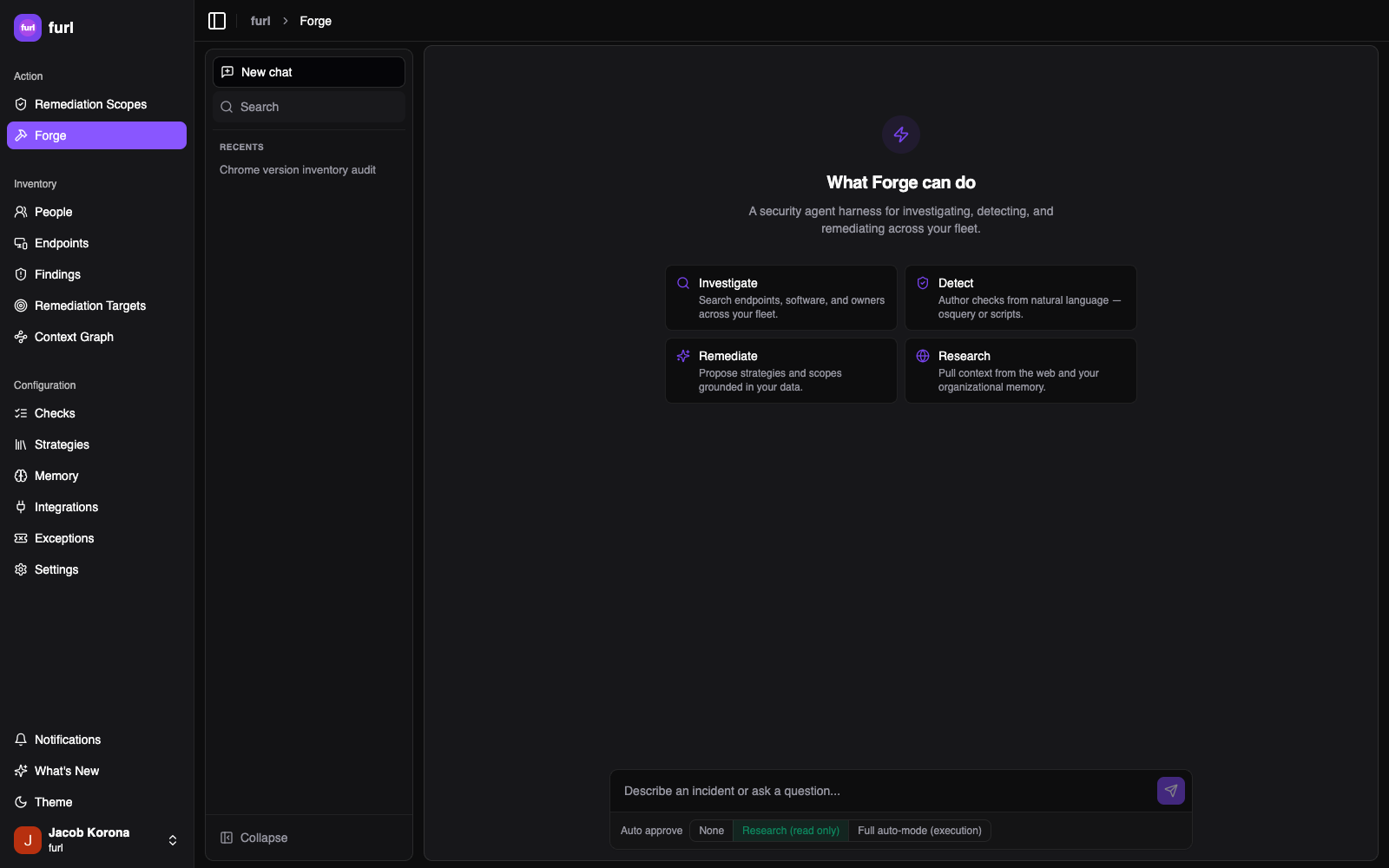
Forge opens with four entry points that map to what it’s built for — Investigate (search endpoints, software, and owners across your fleet), Detect (author Checks from natural language), Remediate (propose strategies and scopes grounded in your data), and Research (pull context from the web and your organizational memory). You don’t have to pick one — just describe what you need in the message box.
What Forge is for
Section titled “What Forge is for”Security and remediation teams constantly hit questions that no scanner has a signature for and no standing policy yet covers:
- “Are any endpoints still running OpenSSH older than 9.6?”
- “We just got an advisory — which of our Macs have this vulnerable app, and can we patch it now?”
- “Flag any host where the root account has a non-expiring password, and keep watching for it.”
Answering these used to mean manual investigation, ad-hoc scripts, and copy-pasting results between tools. Forge collapses that into a single conversation that can also act — and then preserve the work so you never have to do it again.
What you can do with Forge
Section titled “What you can do with Forge”- Investigate your fleet conversationally — ask about endpoints, installed software, owners, tags, and outstanding remediation targets. Forge reads from the same context graph the rest of Furl uses.
- Run detections and fixes across selected endpoints — execute a shell/PowerShell script or an osquery query against a deliberately scoped set of endpoints (the session’s Endpoint Reach), with an approval step before anything runs.
- Save a detection as a Check — once a detection works, promote it to a continuously evaluated source of findings.
- Save a fix as a remediation strategy — capture a tested update, patch, uninstall, configuration, or manual procedure into the strategy library.
- Stand up a remediation scope — roll a fix out across a slice of the fleet as a standing, self-maintaining policy.
- Research as you go — Forge can search the web for CVE details, advisories, and patch information while it investigates.
How Forge fits the rest of Furl
Section titled “How Forge fits the rest of Furl”Forge doesn’t replace the remediation pipeline — it feeds it. Anything you create in a Forge conversation becomes a first-class object that behaves exactly as if you’d authored it by hand:
- A Check you save emits findings on a schedule, which flow through subject matching, strategy selection, execution, and efficacy verification like any scanner finding.
- A strategy you save joins the strategy library and is ranked by confidence score for future selections.
- A scope you create continuously matches targets and dispatches remediations, subject to governance and tag-based execution policies.
Forge’s ability to run scripts and queries is also governed: dispatches are confined to the session’s Endpoint Reach, gated by approval, and subject to the same tag-based execution policies that protect sensitive endpoints and enforce time windows across the platform.
Guides
Section titled “Guides”- Starting a conversation — open Forge, work in sessions, and understand the approval model.
- Endpoint Reach — choose which endpoints a conversation is allowed to act on.
- Creating Checks, strategies & scopes — turn an investigation into reusable detections, fixes, and policies.